

Keep Up with the Latest News While Avoiding Paywalls
Read news that you can trust with your Des Moines Public Library card. Your card gives you free, digital access to The New York Times, The Wall Street Journal, The Washington Post, and dozens of news magazines. Follow the instructions below to take advantage of what your library card offers. Each newspaper has a different login process, so please read the instructions below carefully to get your free access.
Read The New York Times
1. Visit The New York Times access page.
2. Click Redeem on the page (see below - the code will be prefilled).
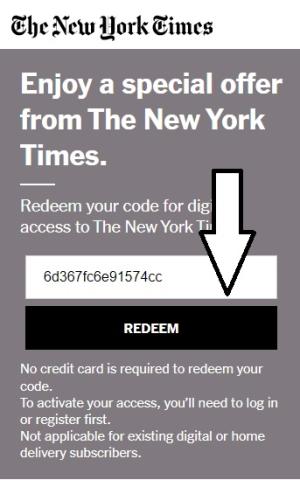
3. Create a New York Times account, or login to yours if you have one already. Creating an account is free, and you must create one to gain free access with your library card. You can create an account using Google, Facebook, or your email address.
4. You will get free access for 72 hours. Once it expires, you may immediately check out another 72-hour license using the same process.
Read The Wall Street Journal
1. Visit DMPL's Wall Street Journal access page.
2. Enter your library card number and PIN
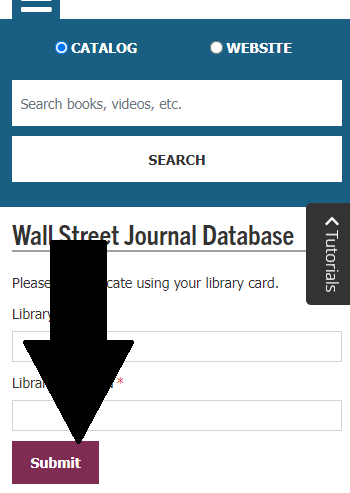
3. Click the button to continue to the login page.
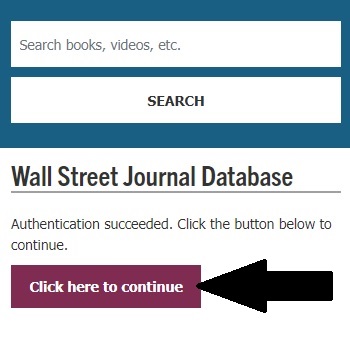
4. Create an account, or login to your account if you have one already. Creating an account is free, and you must create one to gain free access to the Wall Street Journal with your library card.
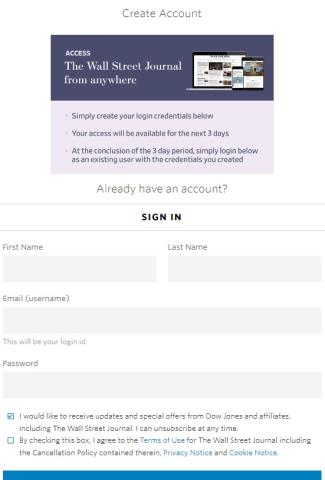
5. Once you create an account, click "Continue to WSJ" to gain access.
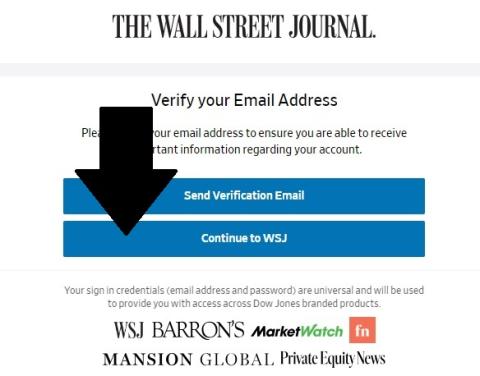
6. You will get free access for 72 hours. Once it expires, you may immediately check out another 72-hour license using your library card.
Read The Washington Post
1. Visit DMPL's Washington Post access page.
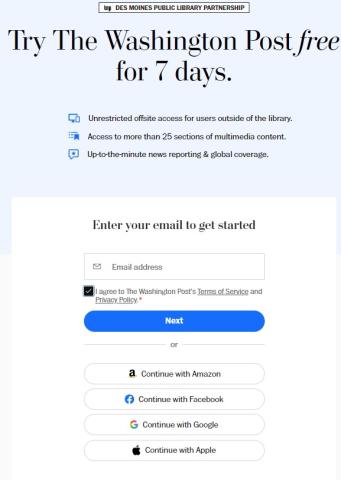
2. Enter your email address to create an account or to login to your already created account. Creating an account is free, and you must create one to gain free access to The Washington Post with your library card. You may also use your Amazon, Facebook, Google, or Apple accounts to create your Washington Post account.
3. If you are creating account, check your email address to create a password for your account. If you're logging in to your already-created account, click the button to get a one-time sign in link sent to your email address.
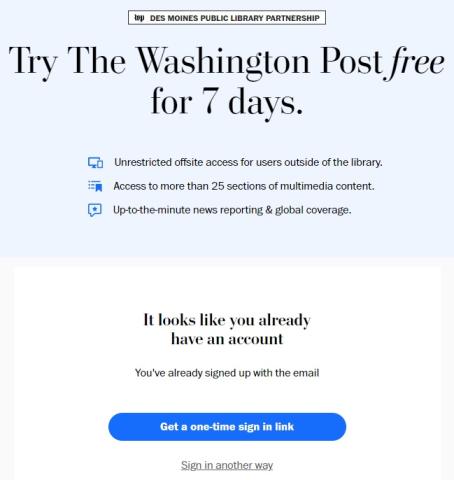
4. Create your password or click your sign-in link to gain access.
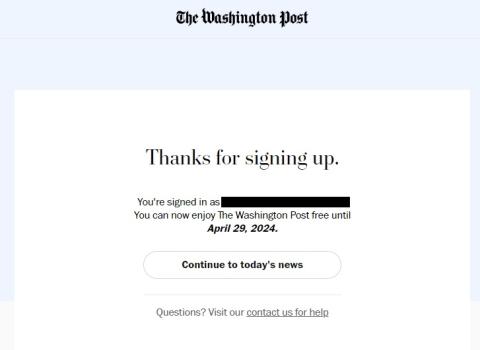
5. You will get free access to The Washington Post for seven days. Once it expires, you may immediately check out another 7-day license using your library card.